
Drag, Drop, Done
Queue folders or files, pick a destination, go. Checksum verification with SHA256, MD5, XXHash64, or BLAKE3 confirms every byte landed.
Built for production. Runs on macOS.
Tally is a macOS ingest app for production and post teams. Fast parallel transfers, checksum verification, live progress, and automatic reporting. No bloat.
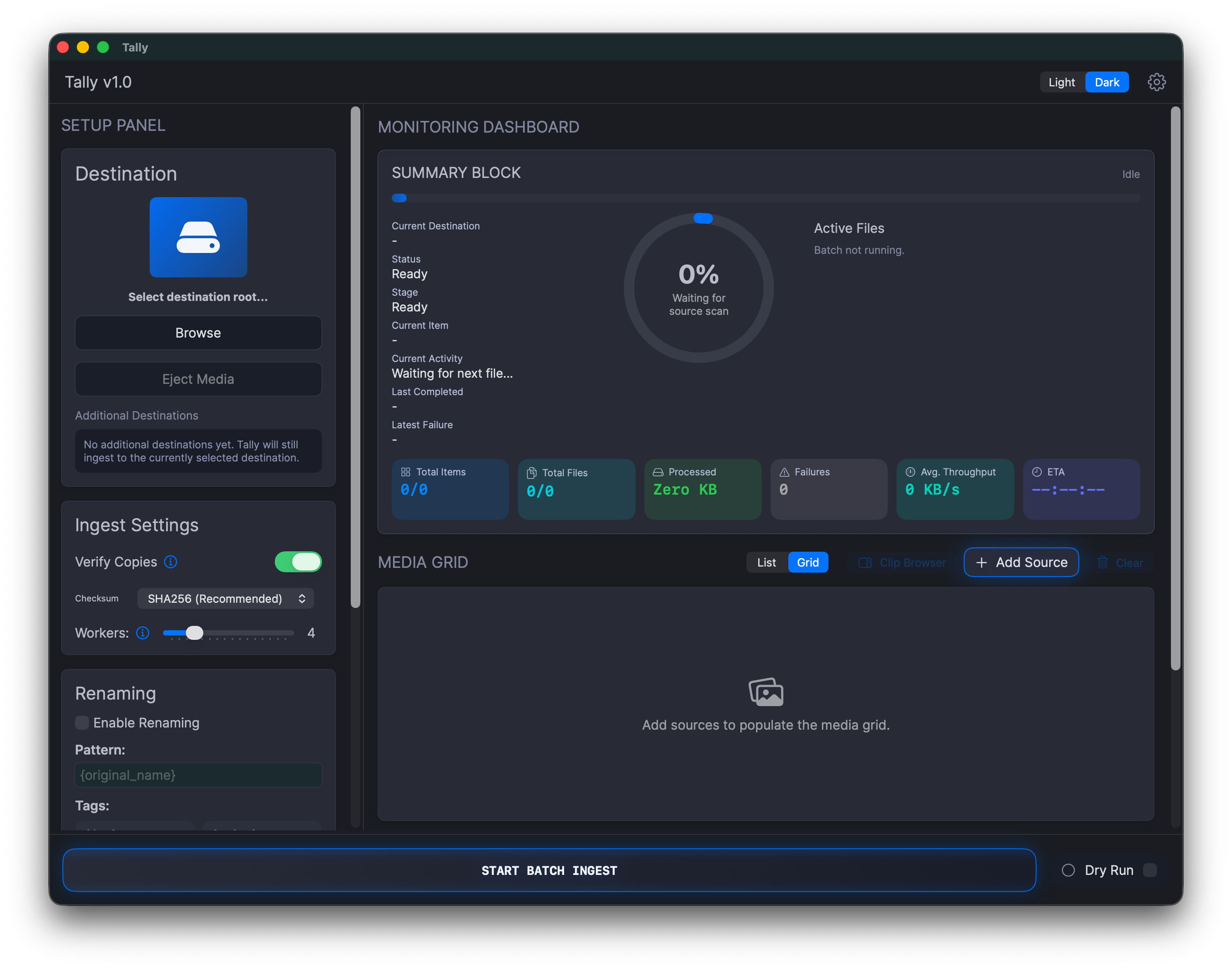
Preflight checks, flexible verification, batch renaming, and automatic reports. Tally handles the transfer workflow so you can focus on the shoot.
Queue folders or files, pick a destination, go. Checksum verification with SHA256, MD5, XXHash64, or BLAKE3 confirms every byte landed.
Build naming patterns from tokens: project, camera, date, time, counter, original filename. Every clip lands with the right name.
Spot-check clips and pull up resolution, frame rate, codec, bitrate, colour, and audio details without leaving the app.
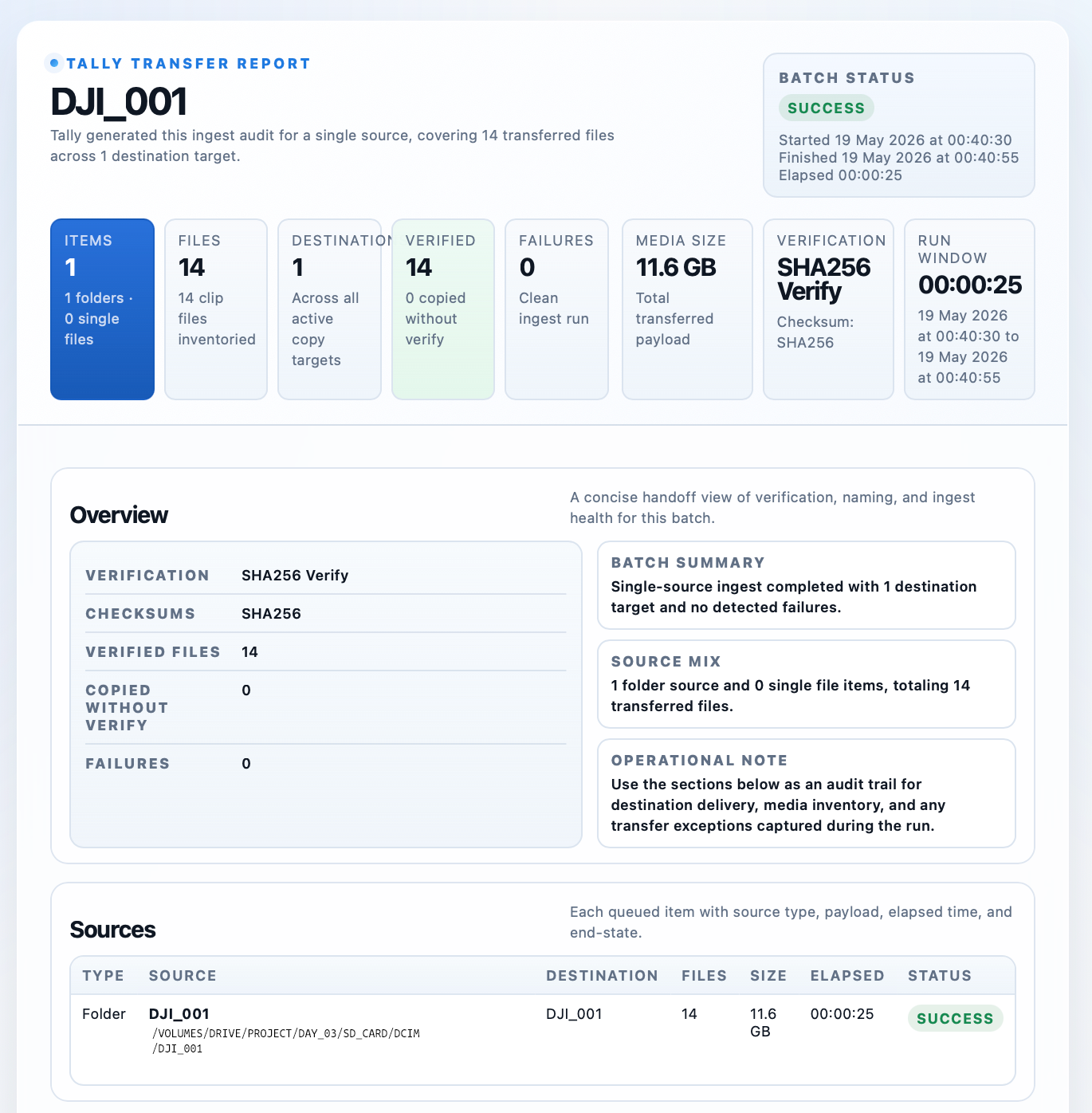
When the transfer finishes, Tally writes the report. Transfer logs, CSV manifests, and HTML reports. Ready to hand off, no extra admin.
Four steps. That's the whole workflow.
Drag in source folders or files, pick where they're going.
Set up token-based naming (project, camera, date, counter) and let Tally apply it across the batch.
Hit go. Track throughput, ETA, active files, and failures from one live dashboard.
Tally writes the transfer logs, CSV manifests, and HTML reports automatically. Hand off the drive and the paperwork together.
Tally doesn’t just copy files. Every ingest gets a full record: verification results, transfer logs, CSV manifests, and a polished HTML report you can actually hand to someone.
Tally checks capacity before you start. Live indicators show how much space is left so you’re not caught out mid-transfer.
Spot-check clips and read off resolution, frame rate, codec, bitrate, colour, and audio info. All inside the app.
Tally is built for media teams who want reliable transfers and proper reporting without fighting a complicated tool to get there.
Download Tally for macOSVerification, metadata inspection, and reporting in one focused macOS app. One price, no subscription.
Full Version
Everything a working DIT needs. Verification, metadata, renaming, reporting. All included.
One version, no feature gates. You get everything.
Tally does the same bit-for-bit checksum verification as tools that cost hundreds more. It’s lighter, faster to launch, and yours to keep for a one-time price.
Yes. Tally is a native macOS application requiring macOS 14.6 or later.
We push metadata and codec updates regularly. They’re free for the life of the major version.
Yes. Set up multiple destinations and Tally will transfer, verify, and report on each one.